export const prerender = true;Kai Nakamura — Productivity Expert | ThinkDone
Kai Nakamura

Workflow Architect

Kai Nakamura

AutomationAPI IntegrationsNo-Code ToolsDeveloper Productivity
“I've been automating things that annoy me since I was 13. After building systems at Zapier and two YC startups, I'm convinced: the future of productivity isn't any single app. It's the connections between them.”

You're the world's most expensive copy-paste machine.

You manually move data between apps. You check three dashboards to understand your day. You spend 20 minutes every morning doing things a five-line script could handle. Your time is worth more than this.

📋

You're manually copying information between 4+ apps every day

🔔

Notifications from a dozen tools fragment your attention into confetti

🕐

Your 'productivity system' takes 30+ minutes of daily maintenance

🏗️

You've built elaborate Notion/Airtable systems that only you understand

Humans think. Computers do everything else.

Kai doesn't believe in productivity apps — they believe in productivity systems. Apps are components. The magic is in how they connect, automate, and eliminate the friction between your intention and your action.

1

If it takes 5 minutes daily, automate it

5 minutes a day is 30 hours a year. That's almost a full work week you're spending on something a machine could do in milliseconds. Find it. Fix it. Forget it.

2

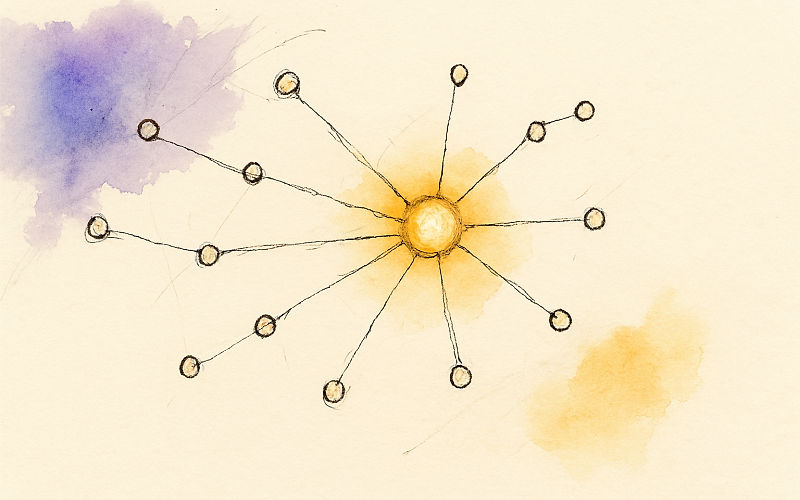
The hub-and-spoke model

Stop trying to find one app that does everything. Use specialized tools for what they're best at, and connect them through a central hub that orchestrates the flow.

3

Automate the boring, protect the creative

The goal isn't to automate your whole life. It's to automate everything that isn't thinking, creating, or connecting — so you have maximum energy for the work that matters.

Kai Nakamura

Kai has been writing code since age 12 and automating things that annoyed them since age 13. What started as a teenager scripting away repetitive homework tasks turned into a career building integrations, automations, and workflow systems that save people thousands of hours. After stints at Zapier and a couple of Y Combinator startups, Kai became convinced that the future of productivity isn't any single app — it's the connections between them.

Their philosophy is simple: humans should do the thinking, and computers should do everything else. That means if you're manually copying data between apps, something is broken. If you're checking three dashboards to understand your day, something is broken. If your "productivity system" requires more than five minutes of daily maintenance, it's not a system — it's a chore. Kai builds and writes about the automations that eliminate this friction, from simple Zapier recipes to custom API integrations.

What makes Kai's writing accessible is a genuine talent for explaining technical concepts without condescension. They'll walk you through setting up a Make.com automation or a Shortcuts workflow with the same patience whether you're a developer or someone who just learned what an API is. Their goal is to make automation feel less like programming and more like arranging furniture — you're just putting things where they make sense.


Insights from Kai

A taste of what you'll find in Kai's articles.

🧮

The Integration Tax

Every app you add to your stack costs 10-15 minutes of daily friction in context switching alone. Kai's framework for calculating whether a new tool is worth its cognitive cost.

⚡

Zero-Touch Workflows

How to build automation chains where data flows from capture to completion without you touching it — and the 3 common workflows everyone should automate first.

🔌

API Thinking for Non-Developers

You don't need to code to think like an automation engineer. Kai's mental model for seeing the connections between your tools that are begging to be automated.

🔧

The Maintenance Trap

If your automation requires weekly maintenance, it's not automation — it's another chore. How to build systems that run silently for months.

ThinkDone is the hub I've been trying to build for years.

I've built custom productivity automation systems for myself and dozens of clients. They all converge on the same architecture: a central intelligence layer that reads everything, decides what matters, and outputs a simple action list. ThinkDone is that architecture, productized.

Central hub that ingests all your projects, commitments, and context — no manual syncing
AI planning replaces the custom automation I used to build for each client
Plain text foundation means it plays nice with any tool — pipe data in and out freely
The OpenClaw integration is the automation layer I've dreamed about — delegate tasks to AI agents directly from your plan
Try ThinkDone for a Buck

$1 to start · Cancel anytime

Simple pricing. Serious clarity.

Start small or go all in. Every plan includes your AI planning dashboard.

Starter

$5/month

Pay-as-you-go AI. Try it out.

  • Interactive dashboard
  • AI meetings (pay per use)
  • Up to 3 projects
Get Started

Standard

$27/month

10 hours of AI planning.

  • 10 hours AI planning
  • Persistent memory
  • Unlimited projects
  • GTD methodology
Try It for a Buck
Most Popular

Pro

$45/month

40 hours. Delegate to AI.

  • 40 hours AI planning
  • OpenClaw integration
  • Automation connectors
  • Priority support
Try It for a Buck

No contracts. Cancel anytime.

Ask Kai anything.

Can ThinkDone connect to my existing tools?

ThinkDone's Pro plan includes automation connectors and the OpenClaw AI assistant integration. But here's the deeper insight: ThinkDone doesn't need to connect to everything because it sits at a different layer. It manages YOUR attention, not your team's workflow. Your project management tools keep running. ThinkDone tells you what to do first.

I'm technical — can I extend ThinkDone?

Absolutely. ThinkDone uses plain text files and a memory API that's designed to be piped into other systems. Power users can build custom automations around it — Zapier hooks, API integrations, even CLI scripts that push context into your planning sessions. It's built by developers, for people who think in systems.

Isn't this just a fancy wrapper around ChatGPT?

That's like calling a Tesla a fancy battery. ThinkDone is a complete productivity architecture: persistent memory across sessions, multi-project tracking, pattern recognition, strategic planning methodology, and a purpose-built interface. The AI is the engine, but the system around it is what makes it work as a daily productivity tool.

I already have automations with Zapier/Make. How does this fit?

Keep them! ThinkDone operates at a different level. Your Zapier automations handle data flow between apps. ThinkDone handles strategic flow of your attention across projects. They're complementary. In fact, ThinkDone Pro can trigger your existing automations — so your daily plan automatically kicks off the workflows you've already built.

Kai Nakamura

“If you're doing something a computer could do, something is broken.”

— Kai Nakamura, Workflow Architect

Start Your First Morning Meeting

$1 to start · AI usage billed separately · Cancel anytime

Articles by Kai Nakamura

deep-dive

ClickUp: The 'One App to Replace Them All' — Does It Actually Deliver?

ClickUp has grown from startup to $4B valuation by promising to replace your entire productivity stack. After three months of daily use, here's the honest assessment of whether the everything app actually works.

Kai NakamuraKai Nakamura
16 min read
comparison

Todoist vs Things 3: The Definitive Comparison for 2025

Todoist and Things 3 represent opposite approaches to task management. After using both for six months, here's the honest comparison of features, philosophy, and which tool fits which workflow.

Kai NakamuraKai Nakamura
14 min read
deep-dive

Notion: The All-in-One Workspace That Changed Everything (And Almost Didn't)

The story of how Ivan Zhao nearly ran out of money building Notion, the explosion that followed, and an honest assessment of whether Notion's infinite flexibility makes it the perfect productivity tool or a productivity trap in disguise.

Kai NakamuraKai Nakamura
17 min read
listicle

Best AI Productivity Apps in 2025: 9 Tools That Actually Think For You

We tested every major AI productivity app. Here's what nobody's talking about: which ones actually use intelligence to plan your day, and which ones just slapped GPT into their settings menu and called it AI.

Kai NakamuraKai Nakamura
16 min read
comparison

ThinkDone vs Todoist: AI Planning Partner vs Task Manager

Todoist excels at task capture and organization with 35M users and 17 years of refinement. ThinkDone adds the planning intelligence layer that decides what goes on today's list. This head-to-head comparison reveals when you need task management, when you need planning intelligence, and when you need both.

Kai NakamuraKai Nakamura
13 min read
deep-dive

Todoist: The Complete Review — 17 Years of Getting Tasks Done

Todoist has spent 17 years perfecting the art of task capture and organization. This comprehensive review covers its natural language parsing, Karma system, filters, and why 35M+ users trust it daily — plus the limitations that matter when you're ready to level up.

Kai NakamuraKai Nakamura
15 min read